# Formation
**Repository Path**: watching/Formation
## Basic Information
- **Project Name**: Formation
- **Description**: Tools for building gorgeous graphical user interfaces in tkinter
- **Primary Language**: Python
- **License**: MIT
- **Default Branch**: master
- **Homepage**: None
- **GVP Project**: No
## Statistics
- **Stars**: 0
- **Forks**: 0
- **Created**: 2025-03-09
- **Last Updated**: 2025-06-04
## Categories & Tags
**Categories**: Uncategorized
**Tags**: None
## README



[](https://pypi.org/project/formation-studio/)


[](https://formation-studio.readthedocs.io/en/latest/?badge=latest)
## Introduction
**Formation studio** is a tool that makes developing user interfaces in Python a breeze. By generating the interface code from simple drag-and-drop widgets, it allows developers to focus
on building product functionality and beautiful designs. Formation Studio has a set of powerful tools which can be used to design interfaces saved in
[.XML](https://en.wikipedia.org/wiki/XML) or [.JSON](https://en.wikipedia.org/wiki/JSON) files. These generated files can then be loaded in code. Formation Studio draws inspiration from other
[RAD](https://en.wikipedia.org/wiki/Rapid_application_development) tools such as
[Android Studio's](https://developer.android.com/studio) visual layout editor,
[PAGE](http://page.sourceforge.net).
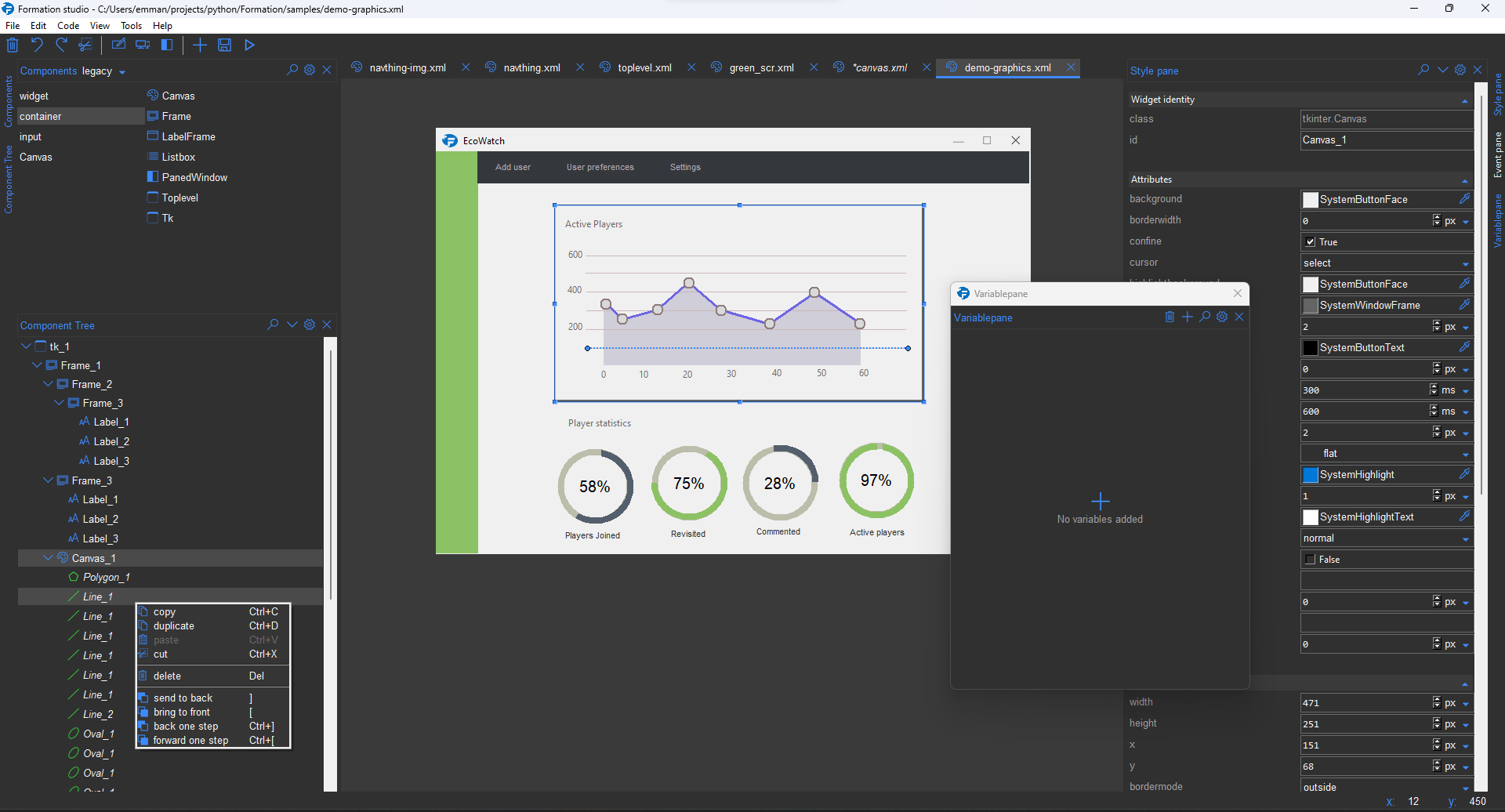
The design below was built solely in Formation Studio (no images or external tools).
## Getting started
### Installation
To use Formation Studio, [install Python 3.9 or higher](https://www.python.org/downloads/)
Afterwards, install Formation Studio with pip (Python package manager).
```bash
pip install formation-studio
```
The development branch can be installed with the following command:
> **note**: Git needs to be installed to use the following command, and the above version of Formation Studio should be installed prior
```bash
pip install --upgrade git+https://github.com/obaraemmanuel/Formation@master
```
### Installation on Linux
Formation Studio uses TKinter and, depending on the distribution/platform, it may not be installed by default. If TKinter is not installed, install `tkinter` and `imagetk` after installing Formation Studio.
Install command for `tkinter` and `imagetk` on Debian Python:
```bash
sudo apt-get install python3-tk, python3-pil.imagetk
```
> Note: The above instruction is only assured to work on Ubuntu. For
> other versions, change the installation command based on the platform. Also, ensure these commands install to the correct directory if multiple versions of python exist on the machine. Formation Studio is a Python 3 application, therefore it does not support Python 2.
### Launching
After installation, you can launch Formation Studio from the command line using the command
```bash
formation-studio
```
> Note: Multiple instances of Formation Studio will not work simultaneously.
The studio will open a blank design by default (This can be changed in the preferences). With detachable tool windows, Formation Studio is able to provide the flexibility to tailor to every developer's unique needs.
Multiple design files can be opened in different tabs.
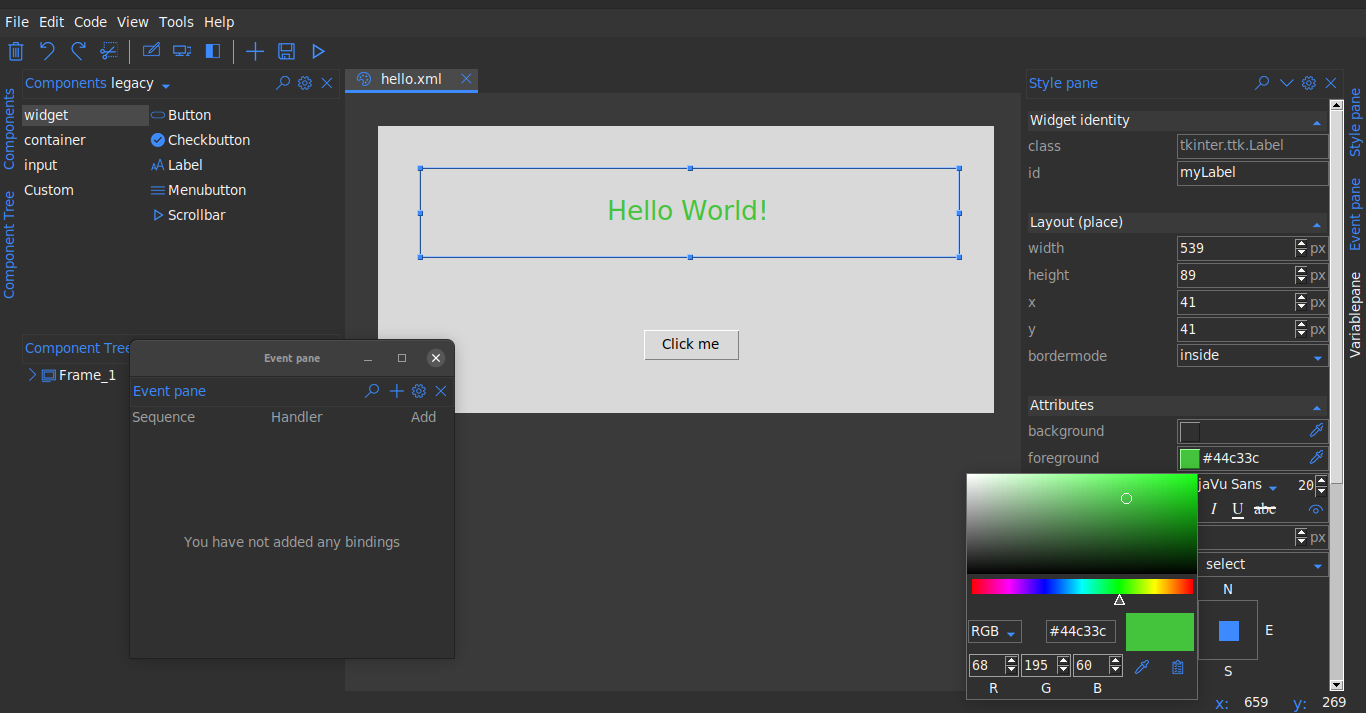
*Demonstration of Formation Studio above ^*
Widgets can be selected from the _**Components**_ pane at the top to be dragged on stage. Click to select widgets
on the workspace and customize them on _**Stylepane**_ to the right. The widget hierarchies can be viewed from the _**
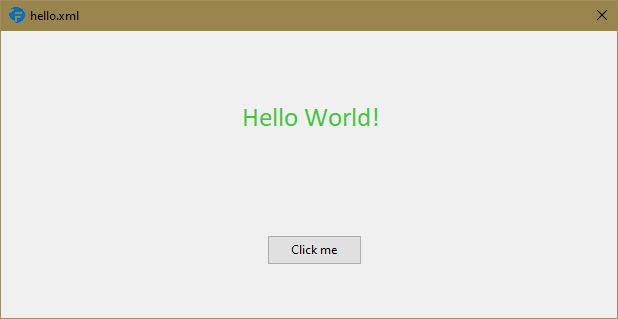
Component tree**_ at the bottom left. To preview the design, use the preview ("run button") on the toolbar. The design can be saved in the top bar by going to _File > Save_. Below is a sample studio preview saved
as `hello.xml`
The underlying xml uses namespaces as shown below:
```xml
```
> Note: this xml file has been manually formatted to make it more legible. The actual xml file
> will not be formatted as the developer is not expected to change it manually.
To load the design in your python code is as simple as:
```python
# import the formation library which loads the design for you
from formation import AppBuilder
def on_click(event):
print("Button clicked")
app = AppBuilder(path="hello.xml")
app.connect_callbacks(globals()) # clicking the button will trigger the on_click function
print(app.myLabel["text"]) # outputs text in the label 'Hello world!'
print(app.myButton["text"]) # outputs text in the button 'Click me'
app.mainloop()
```
>Note: Its advisable that widget names are valid Python identifiers (starting with underscores/letters, not having special letters, and not being a [reserved keyword](https://www.programiz.com/python-programming/keyword-list)) to avoid
>possible issues at runtime.
>Use the widget's exact name as specified in the design to avoid `AttributeError`
### formation CLI
Formation also features a CLI to help do certain operations outside the studio such
as install updates and modify or delete config files. The CLI is however more
useful for Formation Studio developers. To run the CLI use the command `formation-cli`.
```bash
formation-cli --help
```
```
usage: formation-cli [-h] [-r FILES] [-c KEY [VALUES ...]] [-u] [-v]
Command line tools for formation studio
optional arguments:
-h, --help show this help message and exit
-r FILES, --remove FILES
Removes and cleans internal app files. Can be set to config, cache or all.
-c KEY [VALUES ...], --config KEY [VALUES ...]
Get or set studio configuration values.
-u, --upgrade Upgrade formation studio to latest version
-v, --version show program's version number and exit
```
### Formation Debugger
Formation debugger is a tool that lets you inspect, modify or debug widgets in a running Tkinter application in real-time.
You can adjust widget attributes and layouts using an intuitive debugger UI.
It also features a console that can be used to interact with your running application.
To use the debugger run your python app using the `formation-dbg` command.
```bash
formation-dbg /path/to/myapp.py
```
The debugger will automatically attach to the running application as shown below:
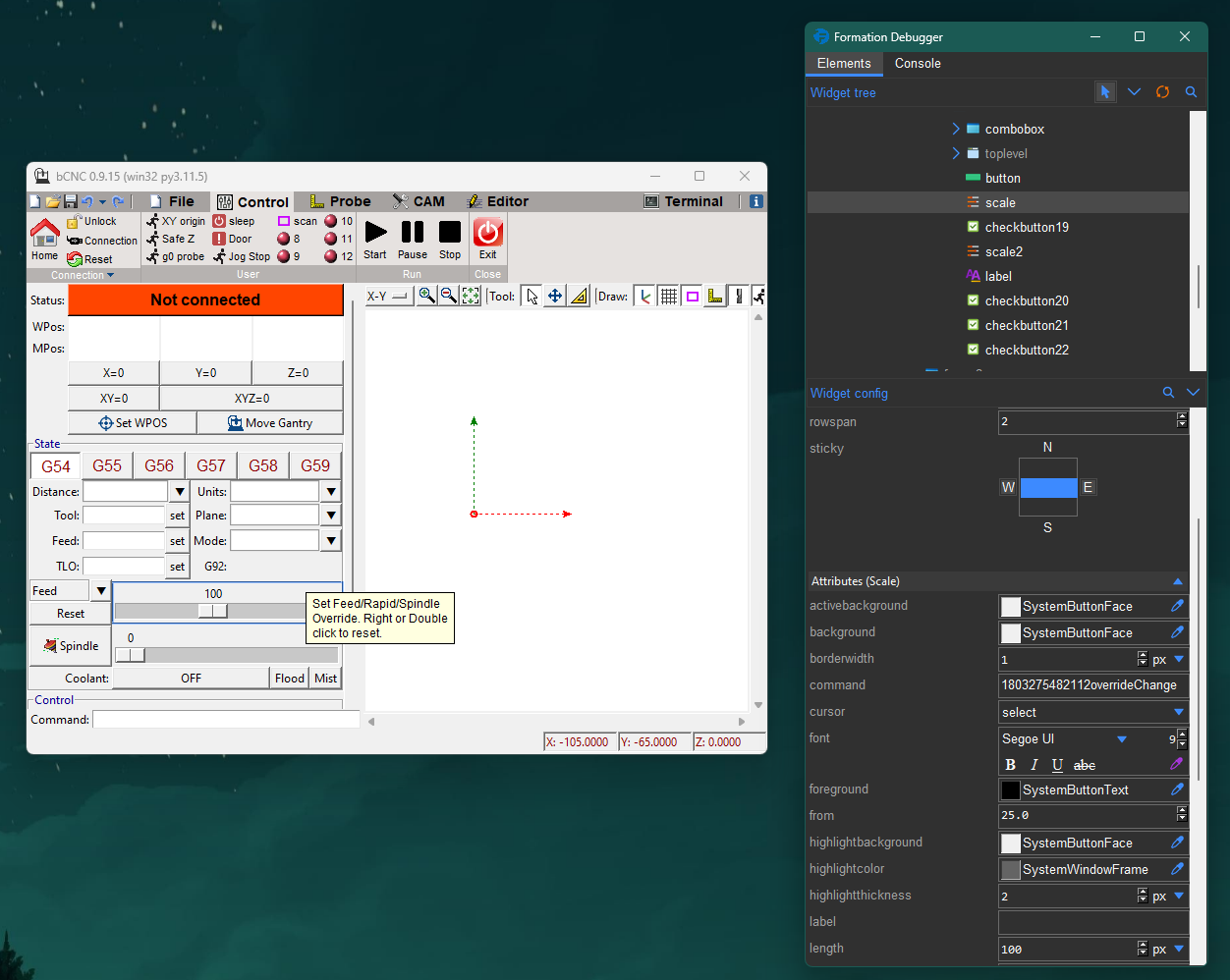
You can then use the pointer icon to select any widget in your running app and inspect or modify its properties/layout.
The console is a standard Python REPL. There is a minimal debugger interface that allows you to access the currently
selected widget in the console. Below is a demonstration of this interface:
```python
# get the currently selected widget
widget = debugger.selected
# when multiple widgets are selected
# this will return a list of the widgets
widgets = debugger.selection
# get the root widget
root = debugger.root
```
The returned widget will be the actual tk widget running in your application, so you can call any method or access any attribute
-----------------------------
For more details checkout the [documentation](https://formation-studio.readthedocs.io/en/latest/)
For those wishing to contribute, see the [studio notes](https://formation-studio.readthedocs.io/en/latest/studio/architecture.html) for developers and contributors
Some good documentation for building Python user interfaces
include:
- [TkDocs](http://www.tkdocs.com)
- [Graphical User Interfaces with Tk](http://docs.python.org/3.5/library/tk.html)
- [An Introduction to Tkinter](https://web.archive.org/web/20170518202115/http://effbot.org/tkinterbook/tkinter-index.htm)
- [Tcl/Tk 8.5 Manual](http://www.tcl.tk/man/tcl8.5/)